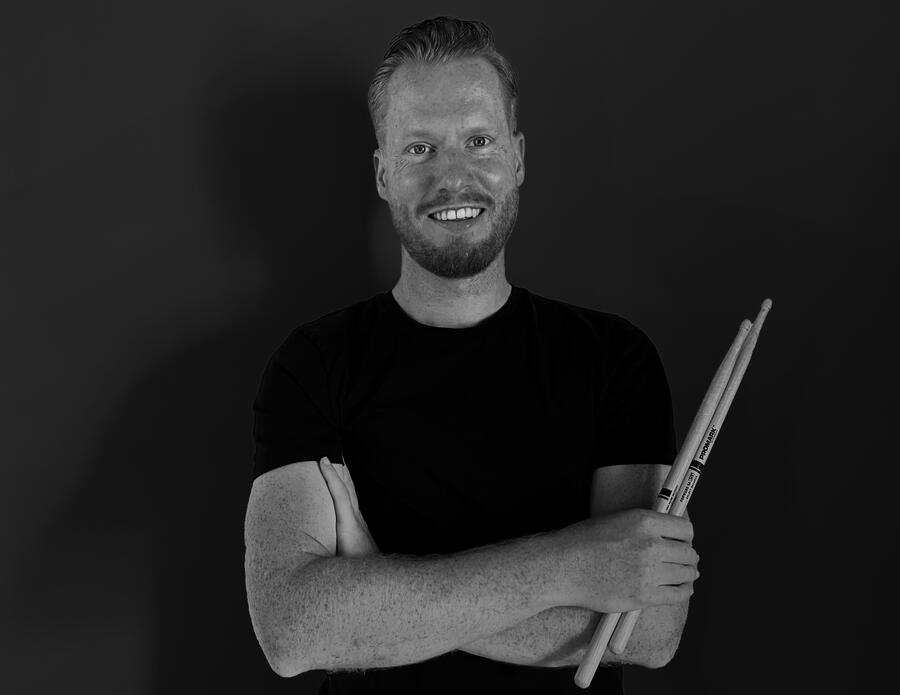
Jesse Heslinga
Helping game developers with creating bespoke soundtracks
Unlock Your Indie Games Appeal Through Music
Playbook Context
With this playbook, we'll cover:
- Budgeting for bespoke music
- Step-by-step process of collaborating with a composer
- Crafting your sonic identity
- Techincal integration essentials
- Legal & licensing Clarity
Question: what are the top three things you hope to get out of this playbook?
Section 1: Budgeting
Budgeting
There’s no one-size-fits-all price tag when it comes to bespoke game scoring — and that’s a good thing.Depending on your game’s scope, timeline, and style, composers often work with different pricing models.
💡 Tip: Share your budget early and be transparent about your needs. Many composers can scale solutions to match your resources — from epic orchestration to minimalist loops.
Per Minute of Music
This is one of the most widely used pricing models in the industry. You pay based on the final duration of original music delivered — usually ranging from $300 to $1,000+ per minute, depending on complexity, instrumentation, and the composer’s experience.
Best for: Projects with a clear idea of how much music is needed — like cutscenes, background loops, or linear gameplay.
Good to know: Adaptive music (music that shifts with gameplay) often requires more time to compose than its runtime might suggest.
Revisions and stems may or may not be included — always ask.
Fixed Fee
You agree on a flat rate for the entire project or a specific set of deliverables (e.g., “Main theme + 5 loops + 3 stingers”). This simplifies budgeting and avoids surprises down the line.
Best for: Developers who prefer cost certainty and have a well-scoped music plan.
Good to know: Make sure the scope is clear: how many tracks, revisions, delivery format, and implementation support (if any).
Great for milestones or episodic projects.
Royalty or Revenue Share
You pay little or nothing upfront in exchange for giving the composer a percentage of future revenue. This model is rare and usually depends on trust, the game’s commercial potential, and legal contracts.
Best for: Teams with limited upfront budget and a strong, validated business plan (or previous sales track record).
Good to know: Not every composer offers this — many avoid it unless the project has strong traction or external funding.
Always use a written agreement to define revenue share terms.
Project-Based (Custom Quote)
Instead of calculating by minute or track, the composer builds a quote based on the game’s creative and technical needs. This could include adaptive scoring, implementation help (FMOD/Wwise), dynamic layers, stems, or revisions.
Best for: Games that need flexible, tailored audio solutions — like branching narratives, open-world exploration, or evolving music systems.
Good to know: Expect a detailed quote with line items.
Can be the most collaborative model, with room for creative back-and-forth.
Section 2: Collaboration
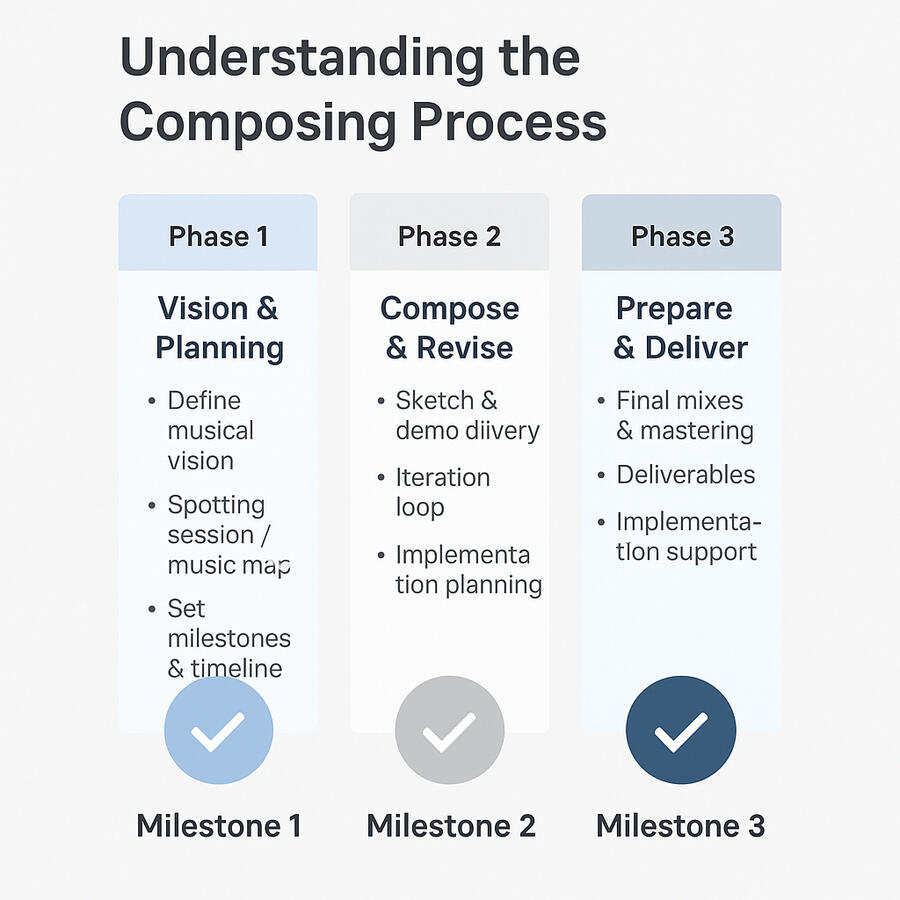
Scoring your game isn’t just about creating music. You have to build a collaborative system that keeps your creative vision intact, on time, and stress-free.There are typically three main phases in a custom game scoring process:Phase 1: Vision & PlanningThis is where everything begins — even before a single note is written.
Phase 1: Vision & Planning
This is where everything begins, even before a single note is written.
Define the Musical Vision
What role should music play in your game? Atmosphere? Narrative support? Emotional pacing?
We’ll discuss references, inspirations, and the kind of experience you want your players to feel.
Spotting Session / Music Map
Together, we’ll map where music is needed: levels, menus, cutscenes, boss fights, ambient zones, etc.
We’ll decide what types of tracks are needed: loops, themes, stingers, adaptive layers.
Set Milestones & Timeline
A clear delivery plan is set with checkpoints: demos, revisions, final masters.
You’ll know exactly when to expect what. No guessing, no scrambling.
Phase 2: Compose & ReviseThis is the production phase — where the ideas take shape.
Phase 2: Compose & Revise
This is the production phase — where the ideas take shape.
Sketch & Demo Delivery
You’ll receive rough musical sketches (for key themes or gameplay areas).
Early feedback ensures we’re on the right emotional/tonal track.
Iteration Loop
You’ll have space for feedback, notes, and suggestions.
We’ll work through 1–2 rounds of revisions per track (more if agreed in advance).
Implementation Planning (if applicable)
We can begin preparing for FMOD/Wwise implementation during this phase if needed.
Phase 3: Prepare & DeliverThis is the polish and delivery phase — prepping your music for in-game use.
Phase 3: Prepare & Deliver
This is the polish and delivery phase — prepping your music for in-game use
Final Mixes & Mastering
All music is mixed and mastered to your specs (e.g., -14 LUFS).
Deliverables
Files are exported in the agreed formats: WAVs, stems, loops, transitions, fade-ins/outs, etc.
Implementation Support (optional)
If scoped, the composer assists with FMOD/Wwise session setup or provide documentation for your dev team.
Section 3: Sonic Identity
Shaping Your Game’s Sonic Identity
It’s the reason you can hear a few notes and know you’re in Hyrule, inside a haunted space station, or back at your home base. It’s not just music — it’s atmosphere, storytelling, and player memory, all working together.Crafting your sonic identity means deciding:
• What emotions your players should feel
• How music evolves with the gameplay
• Which sounds become part of your game’s “language”
How Music Enhances Immersion
• Recurring motifs give your world emotional depth — like a main theme that reappears subtly during pivotal story beats.• Adaptive systems let the music shift in real time — building tension, reacting to player choices, or signaling danger before it arrives.
Now, get some pen and paper, and answer these questions about your game.
1. What emotions do you want players to feel in your game’s key moments?
....
2. If your game had a theme song, what would it sound like?
...
3. Are there recurring locations or characters that deserve a musical motif?
....
4. Which games or movies have a soundtrack that inspires your vision?
...
5. How should music change as the player progresses or the world evolves?
....
Section 4: Technical Integration
Audio Implementation
Once the music is written, it still needs to live inside your game — and that’s where audio implementation comes in.Depending on your team, tools, and timeline, implementation can be handled by the composer, an audio designer, or someone on your dev team. Here’s a brief overview of the options and what to expect.
The basics: how game music gets implementedThere are two main ways music is added to a game:1. Direct IntegrationYou drop audio files into your engine (like Unity or Unreal) and control playback via scripts or triggers.Simple and works well for static loops or linear scenes.2. Middleware Integration (FMOD, Wwise)These tools sit between your audio assets and your game engine, giving you powerful control over how music reacts to gameplay.Best for adaptive music systems — music that changes based on player actions, intensity, or progress
Preferred Audio Formats
| Format | Use Case | Notes |
|---|---|---|
| .OGG | Most common in games | Good quality + small file size (compressed) |
| .WAV | High-quality, uncompressed | Best for editing/mixing before compression |
| .MP3 | Less common, but usable in casual games | Smaller size but lower quality & licensing issues |
💡 Tip: Ask your composer to deliver WAV masters, then compress to .OGG for in-game use.
Basic Mixing & Optimization Tips• Normalize volume levels across tracks to avoid loudness jumps.• Use loop points for seamless playback in background tracks.• Minimize file size with compression — especially for mobile or web games.• Use stems if you want to dynamically fade in/out parts of a track (like drums, pads, or melody).
Who Handles What?
| Task | Composer | Dev Team | Audio Designer |
|---|---|---|---|
| Delivering game-ready audio | ✅ | ❌ | ✅ |
| Implementing in Game Engine | ❌ | ✅ | ✅ |
| Building FMOD/Wwise systems | ❓ | ❓ | ✅ |
Watch a real life example of how game music is made and delivered:
Section 5: Legal & Licensing Clarity
Legal & Licensing Clarity
Music rights don’t have to be confusing — but getting them wrong can cause big problems down the line.Whether you’re launching on Steam, pitching to a publisher, or hoping for Twitch exposure, it’s crucial to have a clear agreement with your composer. Here’s what you need to know to stay protected and legally covered.
What you’re licensingWhen you hire a composer, you’re usually licensing the right to use the music in your game — not buying the music itself (unless otherwise agreed).Here are the common terms to understand:
| Term | What It Means |
|---|---|
| Usage Rights | Where and how you can use the music (e.g. in-game only, trailers, marketing) |
| Exclusivity | Is the music custom for your game only, or can the composer reuse it? |
| Buyout | You own all rights; the composer gives up future claims (often costs more) |
| Royalties | Will the composer receive a % of revenue, or is it a flat fee? |
| Credit | How the composer will be acknowledged in-game or in marketing |
Tip: Most indie projects use a non-exclusive license with full usage rights, or a work-for-hire agreement where the developer owns everything.
Protect Both PartiesA solid agreement protects you from copyright issues and protects the composer from scope creep or unpaid work. It keeps everyone aligned, especially when the project evolves.And if you’re unsure? Use a simple template — or ask your composer if they already have a fair, balanced agreement in place. Most pros do.
Wrap Up: So, Now What?
Get your indie game to commercial appeal through music.
Stay Connected
1. Book a call to share your game and story
2. Connect on Instagram
Share your feedback on this guide
Send me an email, would love to hear your experience using this guide!